Voice Recorder
- 4.9
- Rating
- 50.00M
- Installs
- Free
- Price

 Analysis by App-foxy
I tested Voice Recorder as an everyday audio tool rather than treating it as a one-tap novelty. It is a free Music & Audio app from quality apps (recorder, weather, music), and its purpose is refreshingly direct: capture spoken audio without turning the process into a complicated production task. That simplicity is the main reason I can imagine recommending it to a friend who wants a practical recorder for notes, reminders, ideas, or informal conversations.
The app has also reached a very large audience, with over 50 million installs and a 4.9 average from around 1.3 million ratings. Those figures do not replace personal testing, but they do match my impression that this is designed for ordinary, repeat use rather than a specialist recording studio. It is free to install, rated for Everyone, and the current version is 85.1. In-app purchases are listed at $6.99 per item, so it is worth checking the purchase screen carefully if you want to keep your use completely free.
How comfortably the recorder works for different people and situations
I find that the recorder’s usefulness depends less on who is holding the phone than on how predictable the recording routine feels. A short test in the place you expect to use it can reveal whether the controls and playback suit your needs, while a consistent phone position helps keep speech understandable. That practical fit also makes it easier to judge whether this simple workflow will remain helpful over time.
You May Also Like

 Pandora - Music & Podcasts
Pandora’s Music Is Easy to Start, but Harder to Recover
Pandora’s strength is its low-effort path from a seed to a station. Its weak spot is how much confidence it asks you to place in connection, setup, and quiet recovery.

 8 Ball Pool
 Is Built on Rivalries, Rematches, and Routine
A close look at the rivalries, rematches, shared routines, and unanswered safety questions that turn a quick pool match into a persistent mobile community.

 Samsung Music
’s Quiet Strength Is Playing What You Already Own
Its reach comes less from spectacle than from dependable access to a personal library. That simplicity is both the app’s strongest retention engine and its ceiling.

 AccuWeather: Weather Radar
AccuWeather Review: A Quick, Clear Forecast for Everyday Decisions
For everyday plans, the best forecast is the one you can understand quickly. AccuWeather makes rain timing, radar, and local conditions easy to act on, with a few trade-offs.

 Hill Climb Racing
Why Hill Climb Racing Still Turns Crashes Into One More Run
A tiny car, a bumpy hill and one more upgrade: Hill Climb Racing keeps resurfacing because its simple chaos makes every near-miss feel personal.

 AliExpress - Shopping App
AliExpress Makes Global Shopping Feel Personal, but Shoppers Bear the Risk
AliExpress turns a global marketplace into a pocket-sized discovery engine. Its reach is useful, its shopping loop compelling, and its trade-offs easy to miss.
More From Our News Desk
View All News


Readability and navigation are strongest when the task is simple
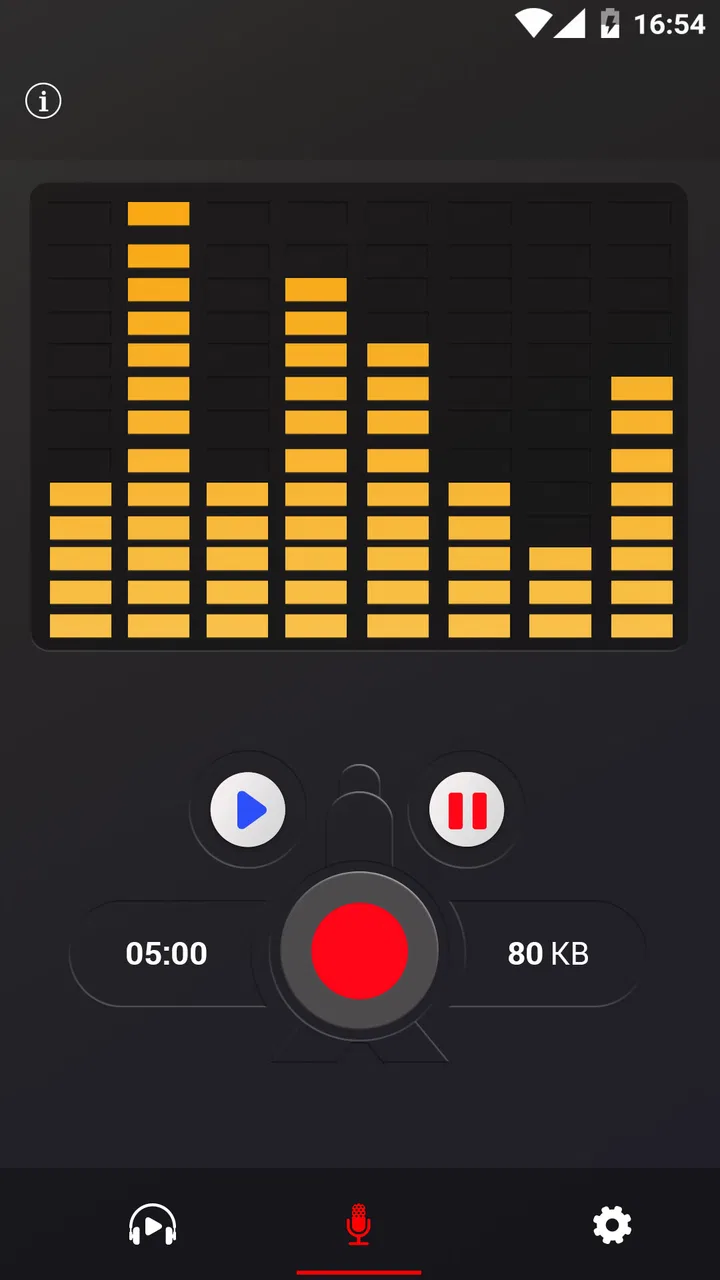
Voice Recorder makes the most sense when I open it with one clear intention: begin recording, stop, and return to the result later. That focused workflow is easier to understand than an app built around tracks, effects, sharing pipelines, and editing timelines. For someone who finds crowded interfaces tiring, a straightforward recorder can remove a lot of unnecessary decision-making.
I also see value here for people who are not confident with audio software. You do not need to understand microphones, mixing, or file formats before making a useful recording. The app belongs to the approachable end of the audio category, which is helpful for a parent recording a child’s school performance, a student capturing a spoken reminder, or someone who prefers saying a thought aloud instead of typing it.
That said, a simple interface is not automatically perfect for every reader. Labels, controls, and recording status need to be noticed quickly, especially when the phone is being used in a hurry. I would recommend opening the app once in a quiet moment and identifying the start and stop controls before relying on it for an important note. This small preparation matters more for anyone with low vision, attention difficulties, or limited confidence using unfamiliar apps.
Voice Recorder is also easier to approach when the phone’s own display settings are already comfortable. Larger system text, stronger contrast, or display magnification can make a difference, although increased text size may affect how much of the interface fits on screen. I would not assume that a setting designed for one person will suit another; the practical test is whether the recording control remains easy to locate without crowding or accidental taps.
Motor and sensory needs change the value of a one-touch workflow
For users with limited dexterity, the attraction is obvious: recording audio can be less demanding than typing a long message. Speaking a shopping list, an idea, or a reminder may require fewer precise movements than entering text. The phone still has to be held or positioned, and the controls still have to be tapped, but the interaction can be brief rather than continuous.
I found the best workflow was to prepare the phone first, place it on a stable surface when possible, and then start the recording. That approach helps avoid the common problem of trying to hold the device, speak clearly, and operate the screen at the same time. It is a small practical adjustment, but it makes the app more usable for people whose hands tire easily or who have difficulty with repeated gestures.
Audio recording can also suit people who process information better through speech than writing. A spoken explanation often preserves tone and thought order more naturally than a rushed note. On the other hand, this app is not a substitute for text when silent access is important. A person who cannot listen to audio easily, or who is in a setting where sound must remain off, may find a written notes app more useful for the same reminder.
Noise is another sensory issue that deserves attention. The recorder can capture what is happening around the phone, so a quiet room and a consistent distance from the speaker will usually produce a more comfortable result than a busy street or echoing hall. I would avoid placing the microphone against clothing, a bag, or a hard surface. These are not glamorous tips, but they have more impact on intelligibility than repeatedly retaking a recording after the fact.
For people sensitive to unexpected sound, the recording environment matters in the opposite direction. A sudden loud voice, traffic, or a nearby alarm may make the result unpleasant to review. I would use headphones at a moderate volume when checking a recording and avoid assuming that a recording made in a calm room will remain comfortable in a noisy playback environment.
Situational access: useful for quick notes, less suitable for formal work
One realistic example is a person leaving a medical appointment. Instead of trying to type instructions while walking to the next appointment, they can sit down, open the recorder, and speak a private summary while the details are fresh. The recording can preserve wording and sequence better than memory alone. For sensitive information, I would be cautious about where the phone is used and who may later access it.
Another good scenario is studying. I would not use Voice Recorder as my only study system, but I would use it to capture a difficult explanation in my own words, record a pronunciation practice session, or make a short spoken checklist before an exam. The key is to keep recordings focused. A collection of long, vague files becomes harder to search than a few clearly named, purposeful notes.
It can also help during creative work. I often find that a melody, sentence, or podcast idea disappears if I wait until I can sit at a keyboard. A phone recorder is valuable because it lets me preserve the rough idea immediately. The trade-off is that a basic recording tool is not the same as a music production app. If I needed layered instruments, detailed trimming, effects, or a polished export, I would choose a dedicated audio workstation instead.
For interviews or meetings, I would treat the app as a convenient capture tool, not as a complete documentation solution. Before recording another person, I would ask permission and make sure the situation allows it. I would also keep the phone close enough for clear speech without placing it in an intrusive position. In a group discussion, voices at different distances may not be equally understandable, so a recorder cannot solve poor room layout or overlapping conversation.
The app’s age rating of Everyone makes it approachable for a broad range of users, including families looking for a basic voice tool. That does not mean every recording context is automatically appropriate for children or for private conversations. Adults should still explain what is being recorded, where files are kept, and when it is respectful to put the phone away.
Where Voice Recorder compares well with familiar alternatives
The usual alternative on a phone is the built-in recorder. If that preinstalled tool already starts quickly, saves files clearly, and behaves reliably on your device, there may be little reason to change. Voice Recorder becomes more appealing when you want a dedicated audio-focused app rather than a feature hidden among general phone utilities.
At the other end are advanced recording suites. Those apps can be better for musicians, journalists, or creators who need editing, multiple tracks, detailed controls, and a more deliberate production workflow. Their extra power can also create accessibility friction: more menus, smaller controls, denser screens, and more choices before recording. I prefer Voice Recorder when the goal is simply to preserve speech without learning a new audio system.
Text notes and speech-to-text tools are another comparison point. Text is easier to scan, search, and share silently, while audio preserves tone and exact phrasing. I would choose a text note for a short address or task list that I need to find later, and the recorder for an explanation, personal reflection, or idea where the sound of the thought is useful. Neither format wins every time.
Cloud-based voice services may offer easier access across devices, but they can also introduce account, network, and privacy considerations. A straightforward recorder is more comfortable for someone who wants to make a local-style recording workflow without building a broader online system around it. I still recommend reviewing the app’s own prompts and your phone’s storage habits before recording anything confidential.
Remaining barriers that affect real-world use
The biggest limitation is that simplicity leaves less room for specialized workflows. If you want automatic organization, searchable transcripts, detailed noise repair, or precise editing, you may quickly outgrow it. I would not buy or choose this app expecting it to replace a professional recorder, a transcription service, or a full note-management system.
There is also a human barrier: remembering what each file contains. A recorder can preserve audio, but it does not remove the need for good habits. I suggest making short recordings with a clear opening phrase, such as the subject and purpose, then reviewing or renaming the file when convenient. This is particularly helpful for users who rely on audio because written organization is difficult; otherwise, a folder of unnamed clips can become stressful.
Physical placement remains important. A person with limited reach may need to position the phone before starting, and someone with hearing loss may need to verify the recording visually or through another listener rather than relying on playback alone. A person who cannot speak comfortably may also find a keyboard or switch-accessible note tool more appropriate. The app can reduce some barriers, but it cannot make every recording situation accessible by itself.
There is a practical cost consideration too. The app is free, but individual in-app purchases are listed at $6.99. I would begin with the free experience and only consider an optional purchase after understanding exactly what it changes. That is especially important for families, users with restricted budgets, or anyone who prefers not to encounter paid features during a simple task.
Compatibility is reasonably broad for an older Android app: it requires Android 5.0 or later. That makes it relevant to people using devices that are not new, although the experience can still vary with the phone’s microphone, storage, speaker, and system settings. Before an important recording, I would make a short test clip, play it back, and confirm that the voice is clear.
Small habits that make the app more inclusive
My first recommendation is to create a repeatable setup. Keep the phone at a consistent distance, use the same quiet location when possible, and start with a brief spoken label. This helps users who struggle with memory, organization, or visual file browsing because every recording follows a predictable pattern.
My second is to separate capture from review. If tapping the screen is difficult, start the recording only after the phone is stable, then stop before picking it up. Review later in a comfortable environment rather than trying to judge sound quality while moving through a noisy place. This reduces both motor effort and sensory overload.
My third is to make a backup plan for important information. A voice recording is useful evidence of what was said, but it may be inconvenient when you need to quote one detail quickly. For medication instructions, travel details, or work deadlines, I would record the explanation and also write the essential points in a format I can scan. That combination is more resilient than depending on audio alone.
Finally, I would test the app with the person who will actually use it. A relative may prefer speaking, while a colleague may need large visible controls; one person may appreciate audio playback, while another needs text. The best setup is not the one that sounds most capable on paper. It is the one that lets that particular person start, stop, find, and understand a recording without help.
My inclusive verdict
After using it as a practical recorder, I see Voice Recorder as a strong choice for people who value a direct path from thought to audio. Its free entry point, Everyone rating, broad Android compatibility, and large user base make it easy to consider, while the 4.9 average from around 1.3 million ratings suggests that many people find the basic experience dependable enough for regular use.
I would recommend it to students, families, casual note-takers, idea collectors, and anyone who wants speech to be easier than typing. I would also recommend it to people who are overwhelmed by advanced audio interfaces, provided they are comfortable with the phone’s controls and can manage the resulting files.
I would skip it in favor of a built-in recorder if that tool already meets your needs, and I would choose a more specialized alternative for transcription, serious editing, multi-track music, or carefully managed professional interviews. Voice Recorder is not valuable because it tries to do everything. It is valuable because it keeps the central task understandable.
My final recommendation is simple: choose this app when accessible audio capture matters more than advanced production. With a stable phone position, a quiet environment, clear spoken labels, and a backup for important information, it can be a genuinely useful everyday aid. The developer, quality apps (recorder, weather, music), has kept the focus on recording, and that focused approach is both its greatest strength and the boundary that tells me when to look elsewhere.
FAQs for Voice Recorder
01What platforms is the Voice Recorder app available on?
The Voice Recorder app is available for both Android and iOS devices. Users can easily download it from the Google Play Store for Android or the Apple App Store for iOS, ensuring compatibility with a wide range of smartphones and tablets.
02Does the Voice Recorder app support multiple audio formats?
Yes, the Voice Recorder app supports a variety of audio formats such as MP3, WAV, and AAC. This flexibility allows users to choose the format that best suits their needs, whether for high-quality recording or smaller file sizes for easier sharing.
03Is it possible to edit recordings within the Voice Recorder app?
Absolutely, the app provides built-in editing tools that allow users to trim, cut, and enhance their recordings. These tools are user-friendly and designed to help users make quick edits without the need for additional software, making it ideal for on-the-go use.
04How secure are my recordings in the Voice Recorder app?
The app prioritizes user privacy by offering password protection and encryption features. This ensures that your recordings are kept secure and can only be accessed by you or those you authorize, adding an extra layer of security for sensitive audio files.
05Does the Voice Recorder app have a limit on recording duration?
The recording duration is generally only limited by the available storage on your device. This means you can record lengthy meetings, lectures, or interviews without worrying about hitting a time limit, as long as you have sufficient space available.
Pros
- User-friendly interface
- easy to navigate.
- Supports multiple audio formats.
- High-quality recording with noise reduction.
- Cloud sync for easy access across devices.
- Customizable recording settings.
Cons
- Limited editing tools for audio files.
- Ads can be intrusive during use.
- No support for stereo recording.
- Requires in-app purchases for premium features.
- No option for direct transcription.

Voice Recorder
Gallery